



Meeting Rooms in Bengaluru: What to Check Before Booking Your Next Business Meeting

A business meeting can go off track before it even begins. Your client is stuck in traffic, the room is too small for the team, the presentation screen refuses to cooperate, or the venue turns out to be much farther away than expected. And suddenly, a meeting that was supposed to move business forward becomes another problem to solve.
If you regularly meet clients, conduct interviews, brainstorm with your team, or present ideas to potential investors, you already know that the right meeting space matters. A coffee shop may work for a casual catch-up, but a confidential client discussion or an important presentation calls for a more professional setting.
That is where meeting rooms in Bengaluru can make a real difference. Instead of arranging a permanent office just for occasional meetings, you can book a professional space for the time you need. The trick is knowing what to check before confirming your booking.
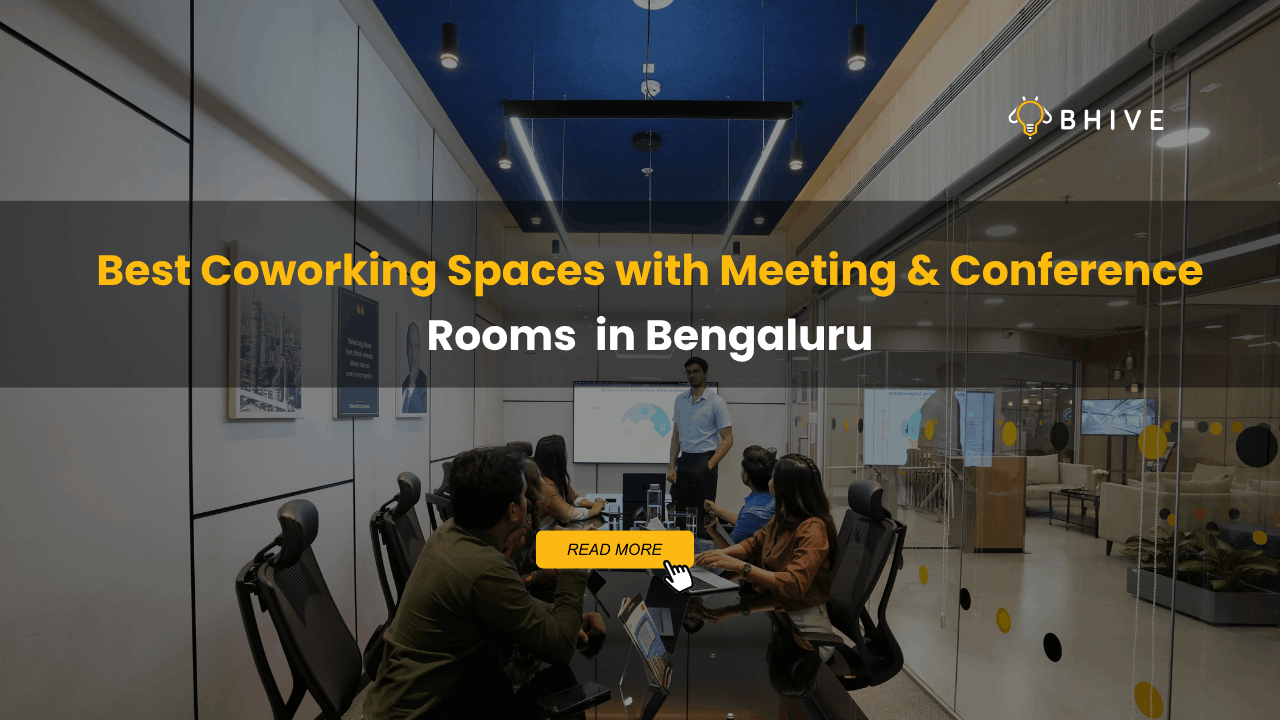
At BHIVE, our Meeting & Conference Rooms are designed to make business meetings more convenient, with booking through the BHIVE App and options across enabled centres. Before you reserve your next space, here is what you should consider to make sure the room works as hard as you do.
1. Start with the Location, Not Just the Room
A great meeting room is not so great if half your attendees struggle to reach it. In a city like Bengaluru, where travel time can vary significantly depending on the time of day, location deserves serious attention.
Think about where your attendees are travelling from. If your team works in HSR Layout but your client is based in Indiranagar, choosing a location that works for both sides can make the meeting easier to attend. For a meeting with participants coming from different parts of the city, proximity to major roads, public transport, and familiar business areas can also help.
It is worth checking the exact centre address before booking, rather than relying only on the locality name. If someone is visiting your office for the first time, clear directions and an easy-to-find venue can make a better first impression.
BHIVE has workspaces across several Bengaluru business locations, including HSR Layout, Indiranagar, MG Road, Whitefield, Koramangala, Jayanagar, BTM Layout, Bellandur and Hebbal. However, meeting-room availability can differ by centre. Explore our BHIVE locations and confirm the available meeting rooms for your preferred date and time on the BHIVE App.
2. Choose a Room That Fits Your Meeting
Here is a mistake that is easy to make: booking a room based on availability alone. A space that works for a two-person discussion may not be suitable for a team presentation or a client meeting with several attendees.
Before booking, consider the purpose of the meeting and the number of people attending. A small room may be ideal for a one-to-one conversation, an interview, or a focused discussion. A larger conference room may be more suitable for a team review, a strategy session, or a presentation involving multiple stakeholders.
Also think about how people will use the room. Will everyone need a seat around the table? Will someone be presenting from a laptop? Do you need space for people to take notes or review documents together? These details can affect how comfortable and productive the session feels.
When exploring BHIVE Meeting & Conference Rooms, check the room capacity and available configuration before confirming your booking. The goal is not to reserve the biggest room possible. It is to find a space that fits your meeting without making the group feel cramped or unnecessarily spread out.
3. Check the Technology and Amenities You Actually Need
A professional meeting needs more than a table and chairs. Depending on the agenda, you may need a reliable internet connection, a display for presentations, or equipment that allows your team to collaborate without wasting time setting things up.
Imagine preparing a detailed presentation, only to discover that the room does not have the equipment you expected. Or picture an important video call interrupted by connectivity issues. These small problems can affect the flow of a meeting and distract everyone from the discussion.
Before booking, check the amenities listed for the specific room. If your meeting involves a presentation, confirm whether a display or other presentation equipment is available. If remote participants are joining, ask about the setup you may need for a smooth call. Do not assume every room has the same facilities.
At BHIVE, meeting and conference spaces are intended to provide a professional environment for discussions, presentations and collaboration. You can explore the available options through our Meeting & Conference Rooms page and check the room-specific details in the BHIVE App before completing your booking.
A little preparation goes a long way. Confirming your requirements in advance helps you spend less time troubleshooting and more time getting things done.
4. Understand the Pricing Before You Confirm
The room that looks affordable at first may not be the best fit once you understand the complete booking cost. That is why checking the price, booking duration and payment terms before confirming is essential.
Start by identifying how long your meeting is likely to last. A quick client catch-up may need only a short slot, while a planning session or presentation could require more time. Check the available booking durations and choose a slot that gives you enough time without paying for more time than you need.
Next, review the amount payable and any applicable taxes or additional charges shown during booking. If you are a BHIVE member, check whether meeting-room credits are available under your membership or company agreement and whether they cover the planned session. Credit eligibility, usage and expiry may depend on the applicable agreement.
For external customers, the published booking terms require payment in advance, with confirmation after successful payment authorisation. A room is not guaranteed simply because you have selected a time slot, so complete the booking process and check that your reservation is confirmed.
You can read the BHIVE meeting-room booking terms and conditions before making a reservation. Reviewing the terms helps you understand payment, cancellation and entry requirements in advance.
5. Look at Privacy and the Professional Environment
Not every meeting is meant for a public audience. Salary discussions, hiring interviews, client negotiations, financial reviews and internal strategy sessions often involve information that should not be overheard by people outside the room.
If your meeting involves sensitive information, consider whether a private meeting room is more suitable than a café or an open coworking area. A dedicated room can give attendees a defined space to talk, review documents and focus on the agenda.
The surrounding environment matters, too. A clean, comfortable and professional setting can help people settle in and concentrate. If you are meeting a prospective client or business partner, the space also becomes part of their experience of working with you.
Before booking, review the room details and select a space that suits the nature of the conversation. If you have specific requirements around privacy, seating or presentation equipment, confirm them with the relevant BHIVE team rather than assuming they are included.
The idea is simple: your meeting space should support the conversation, not compete with it.
6. Check the Booking Process and Confirmation
When you are organising a meeting, you have enough to manage without chasing multiple messages just to secure a room. A straightforward booking process can make planning easier, particularly when the meeting is scheduled at short notice.
BHIVE’s Meeting & Conference Rooms are booked through the BHIVE App. You can explore available rooms, select an enabled centre, choose a date and time, enter booking details, and complete the required payment or confirmation process. Members using meeting-room credits may need their access activated through their company’s designated point of contact or BHIVE Customer Success team.
After booking, check your reservation details carefully. Confirm the date, start time, duration, location and attendee count. Make sure the booking has been successfully confirmed and review any instructions for entry or check-in.
This is especially important if you are booking for a client or inviting attendees who are unfamiliar with the centre. Sharing the correct location and meeting time helps everyone arrive prepared.
For the latest booking process and available centres, visit the BHIVE Meeting & Conference Rooms page.
7. Need the Same Room Regularly? Check Repeat Bookings
Some meetings happen once. Others become part of the working week. You may have a weekly client review, a recurring team planning session, or a regular discussion with a business partner. Booking each session separately can add an unnecessary task to your calendar.
That is where Repeat Bookings can help. BHIVE has introduced a repeat-booking feature that allows users to book the same meeting room at the same BHIVE centre and time slot across multiple dates in one booking. Repeat bookings can be set up on a daily or weekly basis, with a maximum of 15 meetings in one booking, subject to the feature’s availability and applicable terms.
Each session remains a separate meeting-room booking, while the sessions are grouped under one booking reference. This can make it easier to organise a series of meetings without starting from scratch every time.
If you regularly need a meeting space, check whether Repeat Bookings are available for your intended centre and schedule through the BHIVE App. You should still review the dates and details carefully before confirming, especially when several people are depending on the same meeting schedule.
For teams that value consistency, a repeat booking can make meeting planning a little less complicated.
8. Understand the Cancellation and Entry Rules
Plans change. A client may reschedule, an internal discussion may run into a conflict, or an attendee may no longer be available. Before booking a meeting room, take a moment to understand what happens if you need to cancel or change your plans.
BHIVE’s published meeting-room terms distinguish between member bookings and prepaid bookings. Cancellation timelines and refund conditions can vary depending on the booking type and applicable agreement. Review the current terms in the booking process rather than assuming that every reservation follows the same policy.
It is also worth checking the entry requirements. Depending on the booking, attendees may need to complete verification steps, use a valid entry pass, or meet applicable identification requirements. Make sure the number of attendees does not exceed the room’s permitted capacity.
If you are booking for external guests, share the relevant arrival instructions with them beforehand. This is a small step that can prevent confusion at the entrance and help your meeting begin on time.
Why Book Meeting & Conference Rooms with BHIVE?
The right meeting space gives your team a place to focus, collaborate and have conversations without the distractions of an open environment. It can also help businesses avoid the commitment of maintaining a dedicated meeting room when they only need one for specific sessions.
At BHIVE, our Meeting & Conference Rooms support a range of professional needs, from quick client catch-ups and interviews to team discussions and business presentations. Booking is handled through the BHIVE App, where you can check available options, choose a suitable room and review the details before confirming.
With meeting-room options across enabled BHIVE centres, you can look for a location that works for your attendees and your agenda. Availability, amenities, pricing and booking rules may vary by room and centre, so checking the current details is an important part of the process.
If you want to understand more about choosing a workspace for business discussions, explore our guide to meeting and conference rooms for modern businesses.
Conclusion: Make Your Next Business Meeting Count
A successful meeting starts well before everyone takes their seats. The location needs to be convenient, the room should fit your group, the required amenities must be available, and the booking terms should be clear. When these details are taken care of, you can focus on the reason everyone is there in the first place: getting work done.
Whether you are planning a client presentation, an interview, a team brainstorm or a series of weekly discussions, choosing the right meeting room can make the experience smoother for everyone involved.
At BHIVE, we make it easier to explore professional meeting spaces and book through the BHIVE App. Visit the BHIVE Meeting & Conference Rooms page, check availability at an enabled centre, and book a space that works for your next business meeting.
You can book BHIVE Meeting & Conference Rooms through the BHIVE App. Explore the available rooms at enabled centres, select your preferred date and time, enter the booking details, and complete the required payment or confirmation process. Your booking is confirmed only after the applicable confirmation requirements are met.
Check the location, room capacity, available amenities, booking duration, total price, payment requirements, cancellation policy and entry instructions. If you need presentation equipment or have specific privacy requirements, confirm that the selected room can accommodate them.
Yes. Non-members can book available BHIVE meeting and conference rooms through the BHIVE App. They must select an available room, provide the required booking details and complete the applicable advance payment and confirmation process.
BHIVE offers a Repeat Bookings feature for booking the same room at the same centre and time slot across multiple dates. Daily and weekly repeat schedules are supported, with a maximum of 15 meetings in one booking. Check the BHIVE App to confirm availability and applicable conditions for your preferred centre and dates.
Meeting-room availability can vary by centre and may change as services are enabled or updated. Check the BHIVE App or the official Meeting & Conference Rooms page for current availability before making your plans.